UndersiteUndersite

Built by utility coordinators, for coordinators

Find it on screen, not in the trench.

Underground utility coordination for data center campuses, and for any site that starts with a trench.We check every utility model against every other and against the ground, and track every conflict until it is closed.Or your team does it with Undersite.

Any 3D model format, we convert Report in three working days Fewer than 10 conflicts found, no invoice

See it in action

Open the demo campus

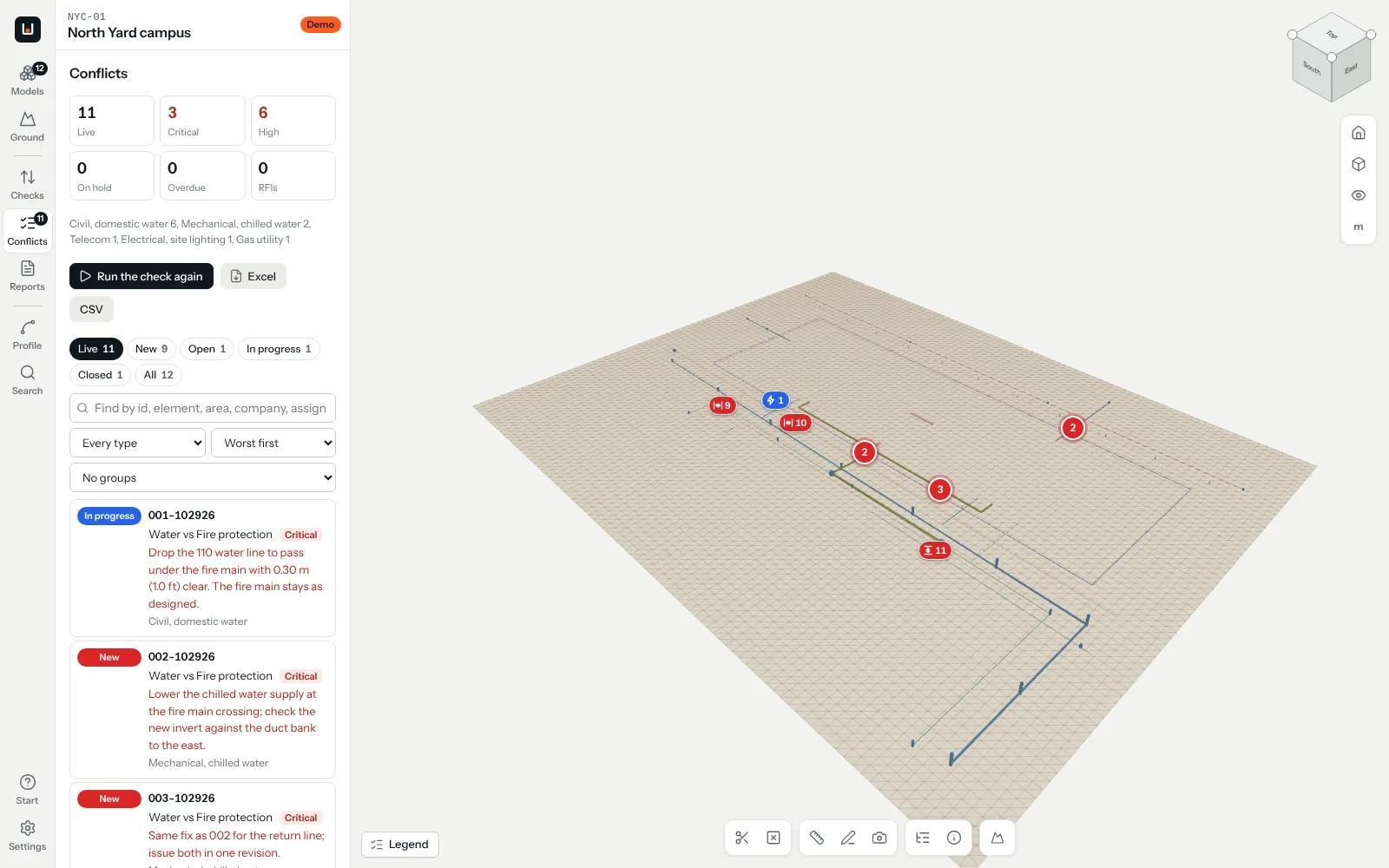
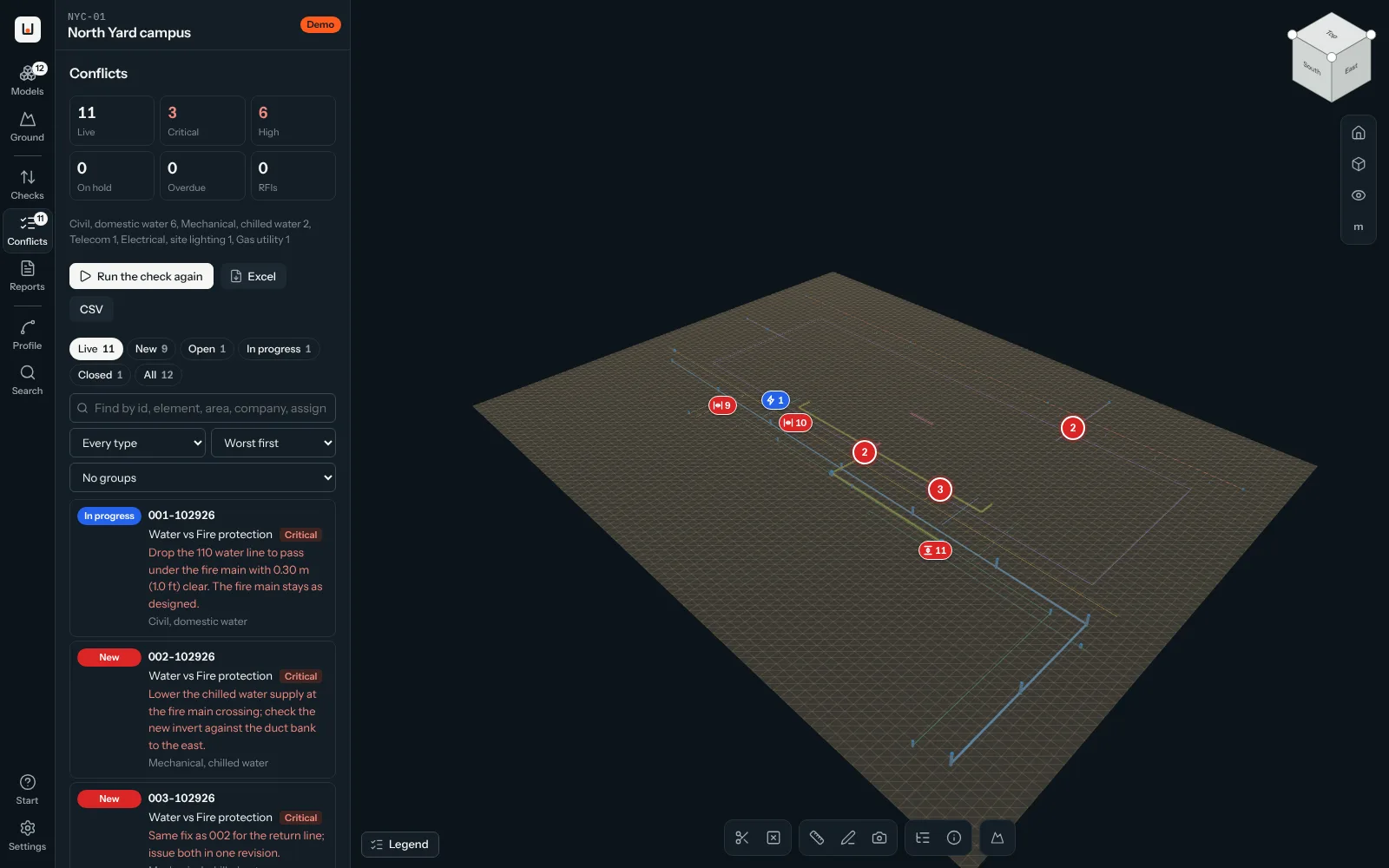
Twelve utility models and the ground, already checked.Eleven conflicts triaged, the first report issued, the next one a click away.In your browser, nothing to install.

Open the demo
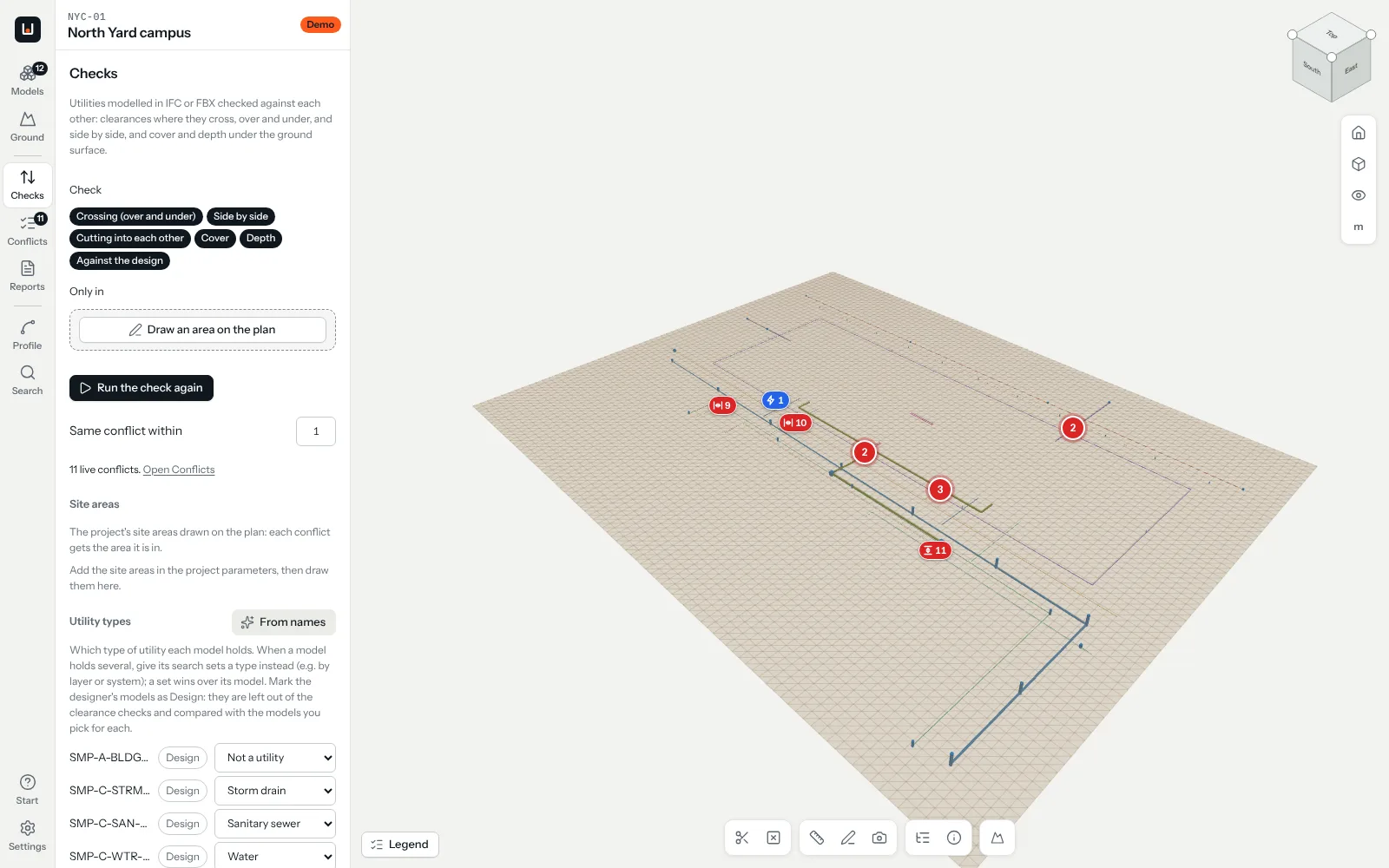
The demo campus in Undersite: utility runs in 3D with their conflicts pinnedThe demo campus in Undersite: utility runs in 3D with their conflicts pinned

Less time on screen, fewer surprises in the ground.

A missed conflict under a campus is found by an excavator.Found on screen, it costs an email.

75%

fewer hours per campus review: 10 to 14 instead of the 40 to 60 it takes by hand.

3 days

from your files to a report with every conflict pinned in 3D.

10x

return on coordination in a published design-build project: $200k of coordination, $2.2M of rework avoided.

DBIA case study
$83.2B

a year: what damage to buried utilities costs the US.

Common Ground Alliance, 2025

From campuses we coordinated

Data center campus, four buildings

800

conflicts worth fixing, found in the final phase alone.

  • Coordinated at every stage, from issued for construction to as-built
  • Every conflict discussed and answered by the contractors
  • Each fix confirmed with the site team

Data center campus, eight buildings

2,700+

conflicts found in the final phase, filtered down to the ones that matter.

  • As-built coordination
  • Conflicts reported as the work went on, not at the end
  • Working directly with the people building it

How a campus review works

Four steps, three working days to the report, nothing for you to install or export.

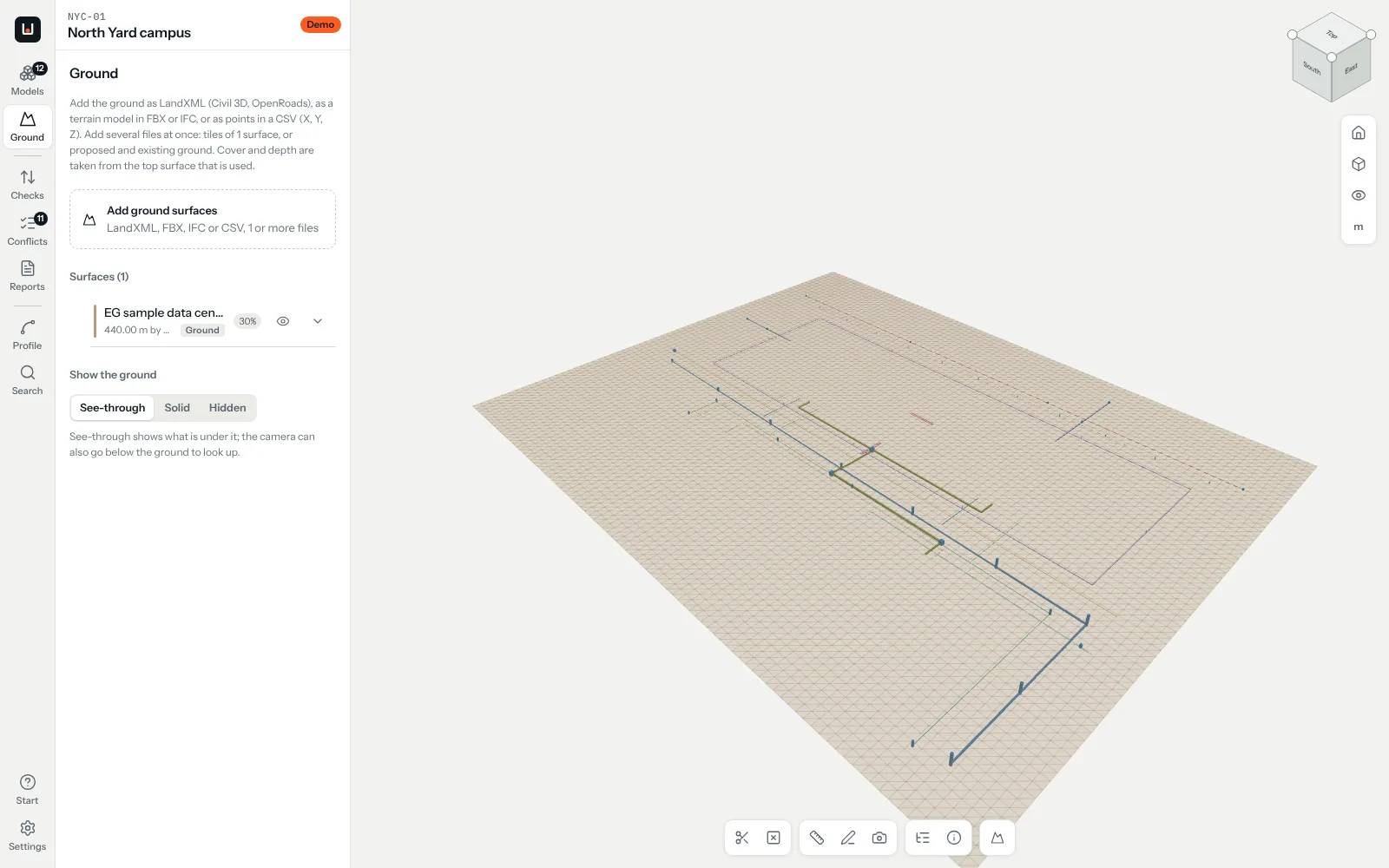
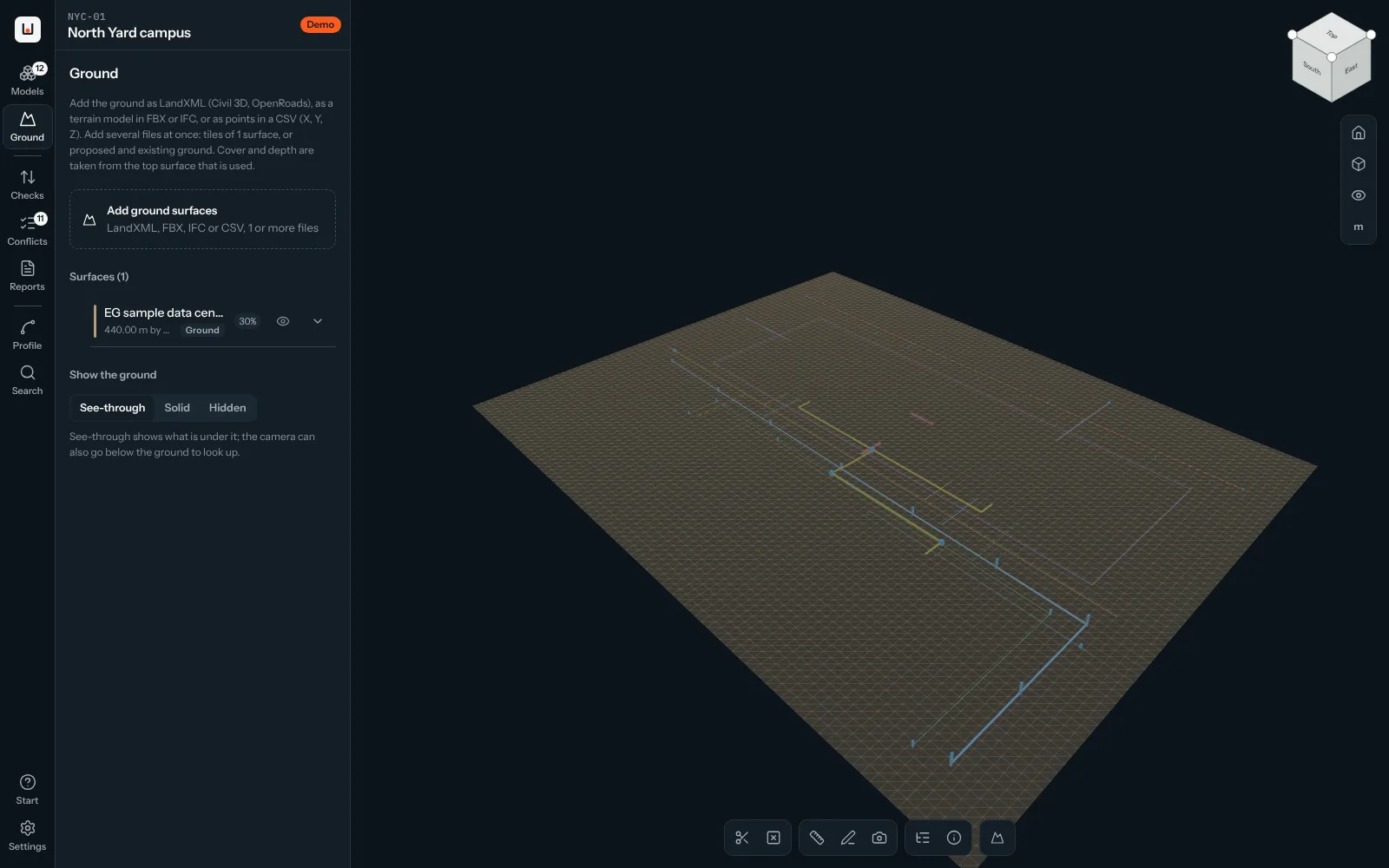
The sample campus with its existing ground loadedThe sample campus with its existing ground loaded
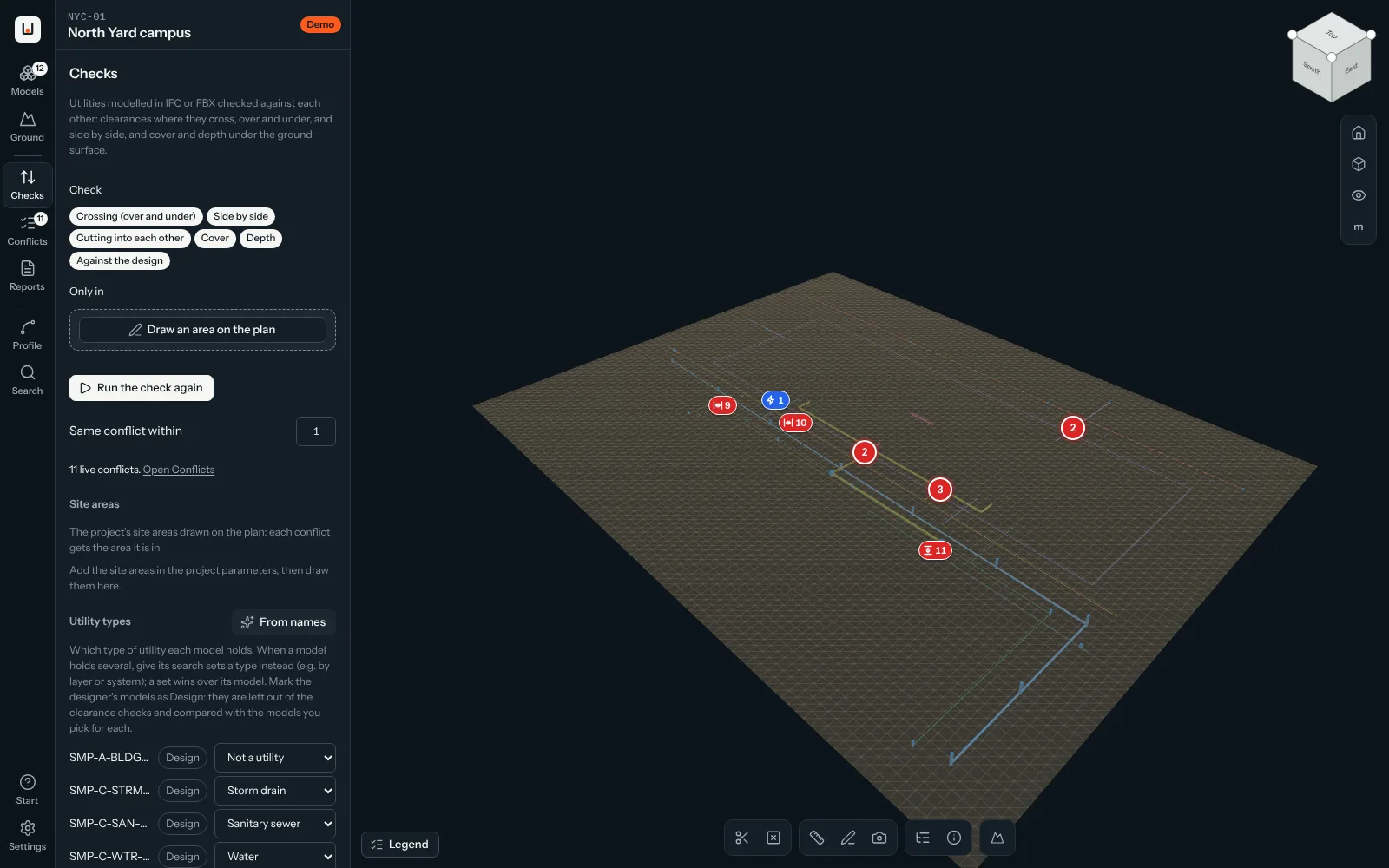
The checks finished: 11 conflicts found, pinned on the campusThe checks finished: 11 conflicts found, pinned on the campus
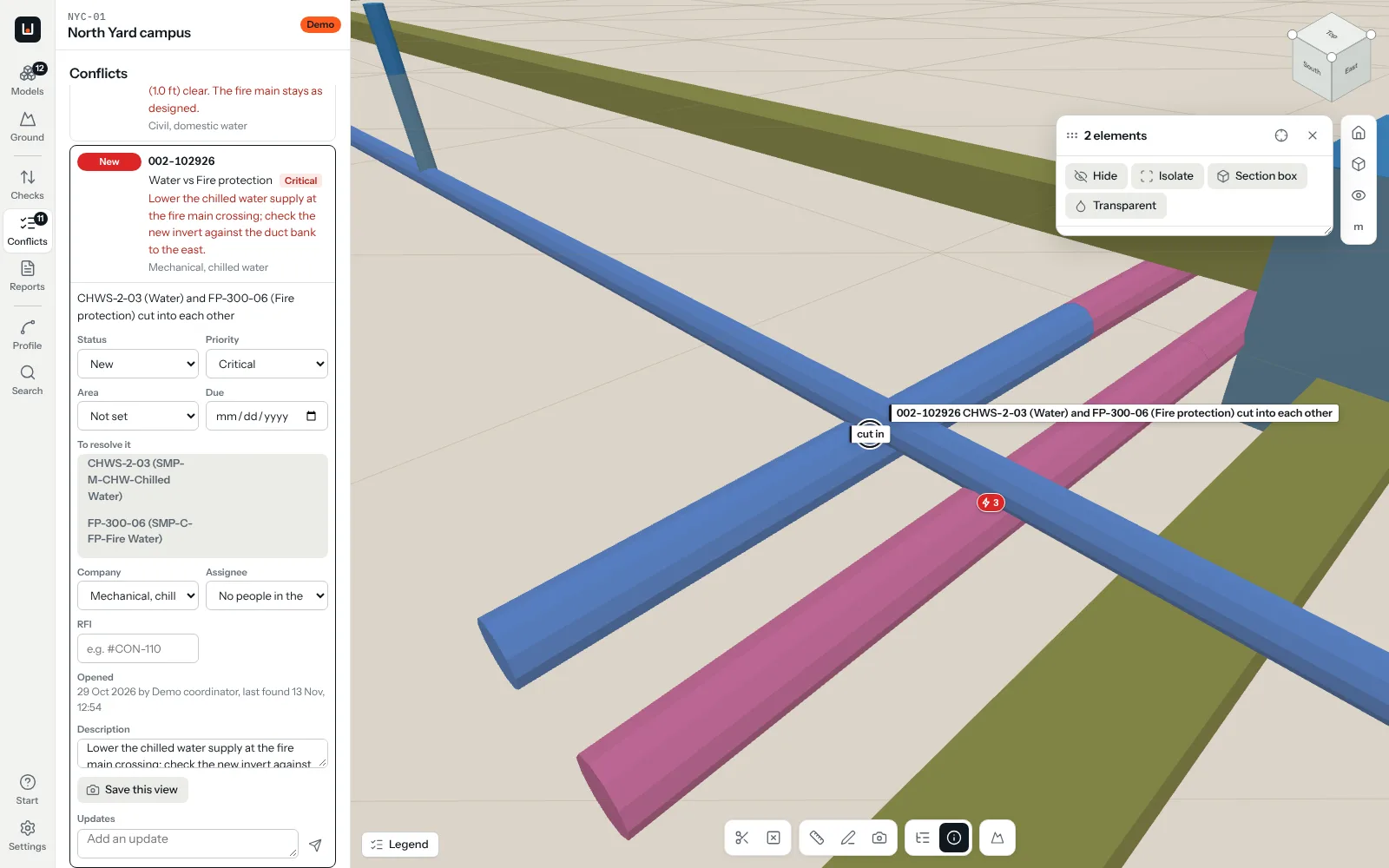
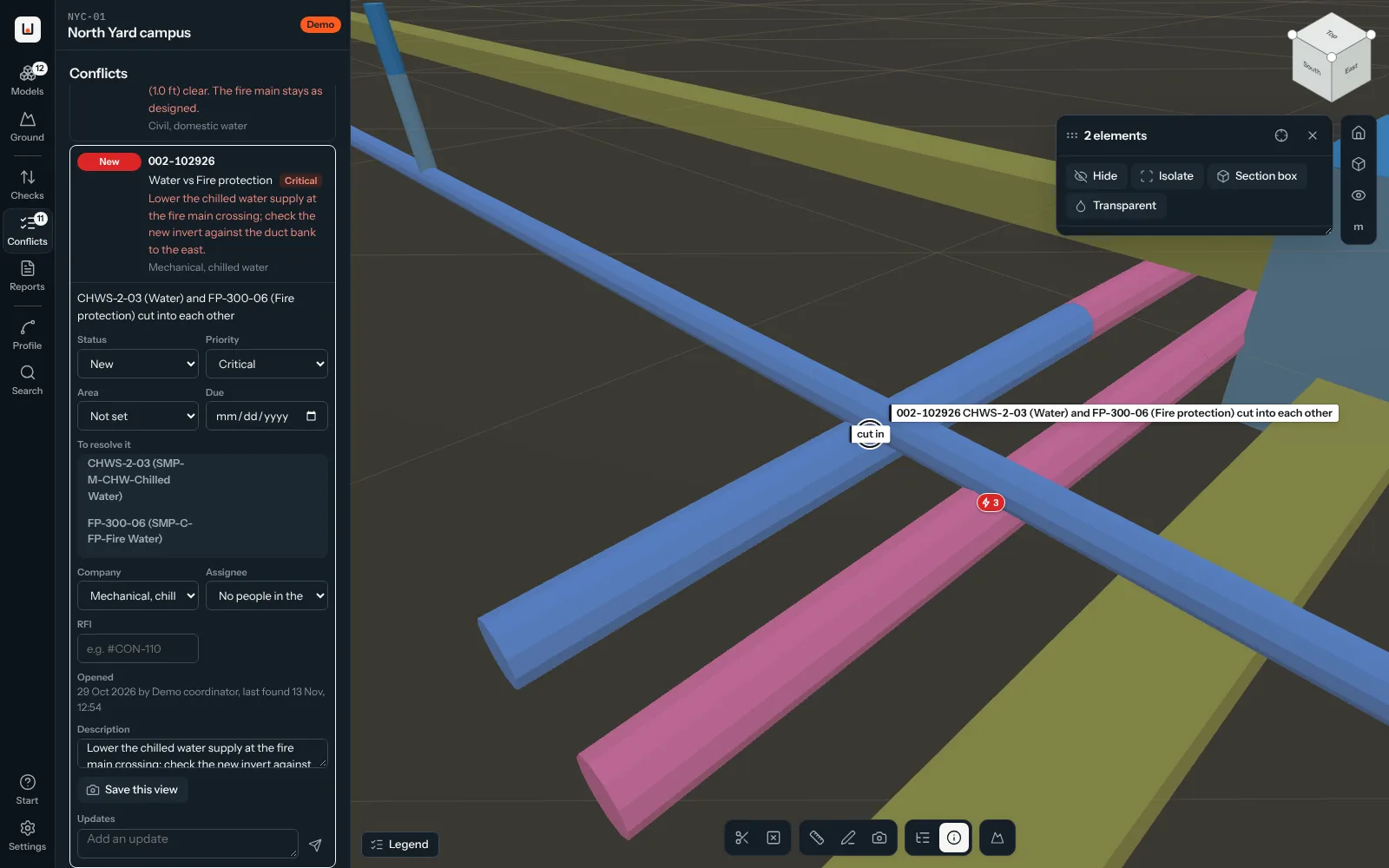
A conflict open: a chilled water line cutting into a fire mainA conflict open: a chilled water line cutting into a fire main
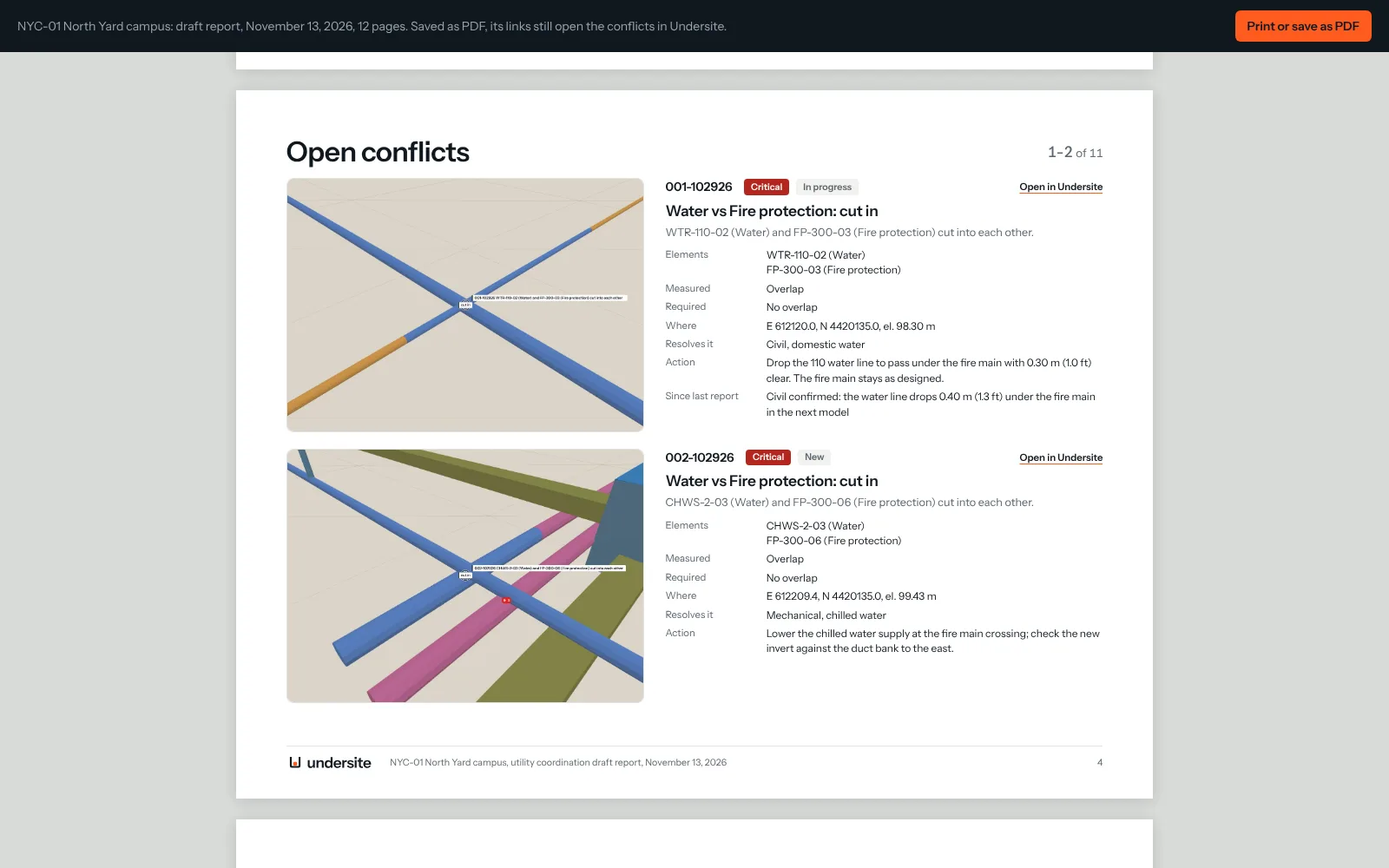
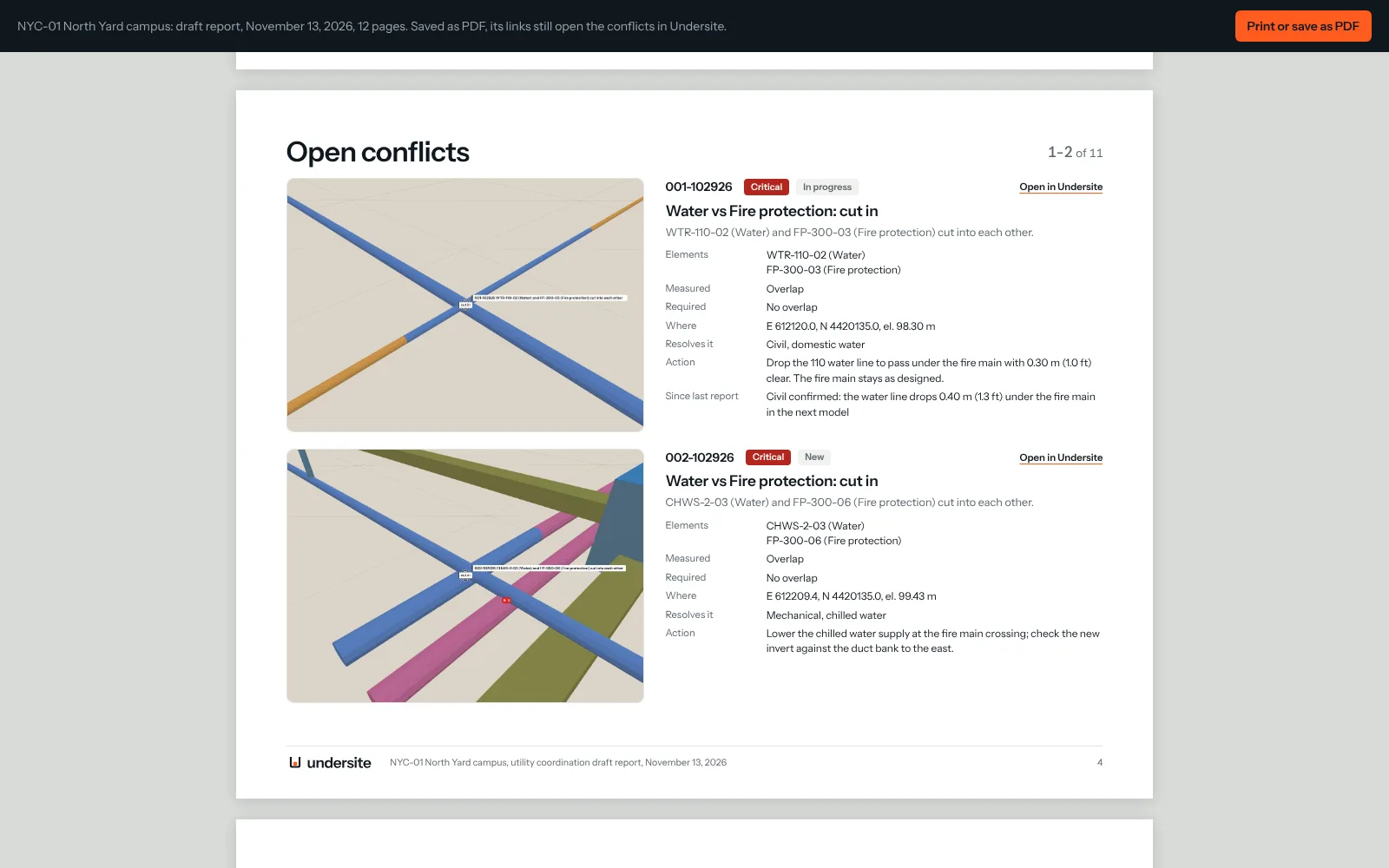
The coordination report: a page for each conflict with its picture, measurements and actionThe coordination report: a page for each conflict with its picture, measurements and action

More than a PDF: you get the campus.

Every review comes with the campus in 3D, in the browser.Your team and your designers open it, find any pipe and follow each conflict to where it is.

Undersite with a data center campus: utility runs in 3D with their conflicts pinned where they clashUndersite with a data center campus: utility runs in 3D with their conflicts pinned where they clash
  • Opens in any browserNothing to install, for the client or the designers.
  • Every conflict where it isClick it in the list and the view flies there, with its history.
  • Find, measure, cutSearch any element, measure clearances, cut a section or a profile.
  • Locked with your passcodeEncrypted in your browser; we never see the passcode.
  • Or work in it yourselvesWith the Team plan your coordinators keep it up to date.

What we check

A clash test knows two solids touch.A coordinator knows the rules between them.

Every build starts with a trench

Data center campuses are where we work most. The same checks run on any site with buried utilities.

  • Data center campuses
  • Hospitals and healthcare campuses
  • Chip and battery plants
  • Airports and logistics hubs
  • University and corporate campuses
  • Substations and energy sites
  • Industrial and manufacturing sites
  • Residential and mixed-use developments

Why teams choose Undersite

General clash tools were made for buildings.Under a campus the rules are different, and so is the work.

What matters Undersite General clash tools By hand or outsourced
Made and supported by working utility coordinators Built in: we set it up with you Software only Depends who you hire
Clearance by utility pair and by which one is on top Built in One test per pair, set up by hand Checklists
Cover and depth to the real ground Built in Not built for it Sections drawn by hand
Manholes and chambers against the runs around them Built in Hard clashes only By eye
Conflicts carried from one revision to the next Automatic: not found, reopened Re-run and reconcile Spreadsheets
Coordination report PDF and online, each conflict linked to the model Exported, then edited By hand
Files you can send Any 3D model format, we convert Format by format Depends who does it
Where models are kept Your browser, by default Desktop files or a vendor cloud Their servers
How you pay Per campus, any number of users Per seat Per hour

What it saves you

Put in your own numbers.The defaults are a typical campus with a model drop every month.

Saved a year with the Team plan $0
Coordinator hours saved0 h
Value of those hours$0
Field conflicts avoided, if half are caught$0
Team plan for the campus-$9,900

Assumes 75% fewer hours per drop and half of the field conflicts caught on screen. Your results depend on your models and your team.

Two ways to work with us

We do the coordination, or your team does it with Undersite.Clear prices, no seat counting for teams.

The review guarantee

If a campus review finds fewer than 10 conflicts worth fixing, you do not pay for it.

We do it for you

Fixed prices, US projects, any 3D model format.

Campus review

Guaranteed

$5,000fixed price per campus

  • Up to 15 utility models and the ground, any format
  • Report with every conflict pinned in 3D, as PDF and online
  • A coordination meeting to go through every conflict
  • Delivered in three working days
  • Next review after a model drop: $2,500
Book a review

Coordination: Essential

$4,900per campus a month

  • Every model drop checked, every two weeks
  • Coordination meeting and report every two weeks
  • Report within two working days
  • Conflicts tracked until they are closed
  • Three months minimum
Talk to us

Coordination: Full

$8,900per campus a month

  • Model drops checked every week
  • Weekly coordination meeting and report
  • Conflicts tracked until they are closed
  • A coordinator who knows your campus
Talk to us

Your team does it with Undersite

For VDC teams, and for the specialist who coordinates on their own.

Specialist

For specialists

$1,290per user a year

  • Undersite for one VDC or BIM specialist
  • Any number of projects
  • Read-only links for the design teams
  • Starter rules for US utilities
Get a seat

Team

Most teams

$990per campus a month, or $9,900 a year

  • Any number of users on the campus
  • Shared conflicts, reports and revision record
  • Your clearance tables and rules
  • Onboarding included with the yearly plan
Talk to us

Onboarding and training

$1,500once, included in yearly Team plans

  • Your clearance tables and rules set up
  • A first campus loaded from your models
  • Two hours of live training, recorded
  • More sessions: $750 each
Plan onboarding

Prices in US dollars, for US projects. Another currency, another kind of site or project, or another way of working together: write to us and we quote it separately.

Security your IT will sign off

Campus models are sensitive.Undersite is built so they do not have to leave the computer they are opened on.

  • Models are opened and checked in your browser. Nothing is uploaded to be processed.
  • Shared links are encrypted in the browser with AES-256 and a passcode we never see.
  • Hosted in the US on providers audited under SOC 2 Type II and ISO 27001.
  • Files for a review are worked on only on our encrypted machines and deleted within 7 days of the report.
  • We sign your NDA and data processing agreement and answer your security questionnaire.
Default

Conflicts only

Models stay on your coordinators' computers. Conflicts, reports and the revision record are shared with the team.

For designers

Read-only link

The campus with its conflicts, locked in your browser with a passcode we never see.

  1. You sendYour file share or CDE, or a private upload link from us.
  2. We reviewOnly on our encrypted machines. Nothing goes anywhere else.
  3. You get resultsThe report and a read-only link locked with your own passcode.
  4. We deleteYour files within 7 days, the link after 90 days or when you ask. Confirmed in writing.

How we keep your data safe Where your data lives

Questions

Is it only for data centers?

Data center campuses are most of our work, so the rules, samples and defaults start there. The checks themselves work on any site with buried utilities: hospitals, chip and battery plants, airports, logistics hubs, university and corporate campuses, substations and industrial sites.

What do we need to send?

3D models of the utilities and the ground surface, from any design, survey or modeling tool, in any version. We convert them ourselves. Drawings alone are not enough: the checks need depths and shapes in 3D. If you only have 2D drawings, ask us: modeling them is quoted separately.

How is this different from Navisworks, Revizto or ACC?

Those are general coordination platforms: they find solids that touch and manage conflicts for every trade. They do not know that water needs 10 ft from a sewer side by side but 18 in where it crosses above it, how deep a duct bank sits under the real ground, or what clear space a manhole needs. Undersite is built only for buried utilities, by coordinators who do this work, and it comes with us: we set up your rules, run the reviews or train your team. Many clients keep their platform for the buildings and use Undersite underground; conflicts export to a spreadsheet for any tracker.

How long does a campus review take?

Three working days from the day we have the files. You get the report as PDF and online, with every conflict pinned in 3D and linked to the same place in the model, and a one-hour coordination meeting where we go through every conflict with your team.

Do you run the coordination meetings?

Yes. Every campus review ends with a one-hour meeting where we go through each conflict with your team and, if you want, the designers and contractors. In coordination plans we run the meeting from the report, every two weeks or every week, and the next report says what was agreed and what changed.

What is in the report?

A summary of the open conflicts and who resolves them, what changed since the last report, a page for every conflict with its picture, measurements, the rule it breaks and the action, and the full register. Every conflict links to the same place in the 3D model online. Each new report says what was closed, reopened and changed since the one before.

What is the guarantee?

If a campus review finds fewer than 10 conflicts worth fixing, you do not pay for it. It applies to campuses with at least five utility models between 30% and 90% design.

What happens to the files we send you?

You send them through your file share or CDE, or a private upload link from us. We work on them only on our encrypted machines. You get the report and a read-only link locked with your own passcode. We delete your files and our working copies within 7 days of the report, the read-only link after 90 days or sooner if you ask, and confirm it in writing. For ongoing coordination we keep them for the length of the contract and delete them within 30 days after it ends.

Are you SOC 2 certified?

Not yet. The app keeps models in the browser by default, shared links are encrypted in the browser with AES-256 and a passcode we never see, and we host in the US on providers audited under SOC 2 Type II and ISO 27001. We answer security questionnaires and sign NDAs and data processing agreements. If your procurement needs our own report, tell us early.

Do you set it up and train our team?

Yes. Onboarding sets up your clearance tables and rules, loads a first campus from your models, and trains your team live for two hours, recorded. It is included in yearly Team plans.

Does this replace 811 locates or a utility survey?

No. We check the designed and modelled utilities against each other and against the ground. Before anyone digs, the site still needs its 811 call, locates and, where the project calls for it, a subsurface utility engineering survey.

Tell us about your campus

We reply within one working day with a fixed quote and a start date.

  • Campus review from $5,000, guaranteed
  • Any 3D model format, we convert
  • Report in three working days
  • Your files deleted within 7 days of the report